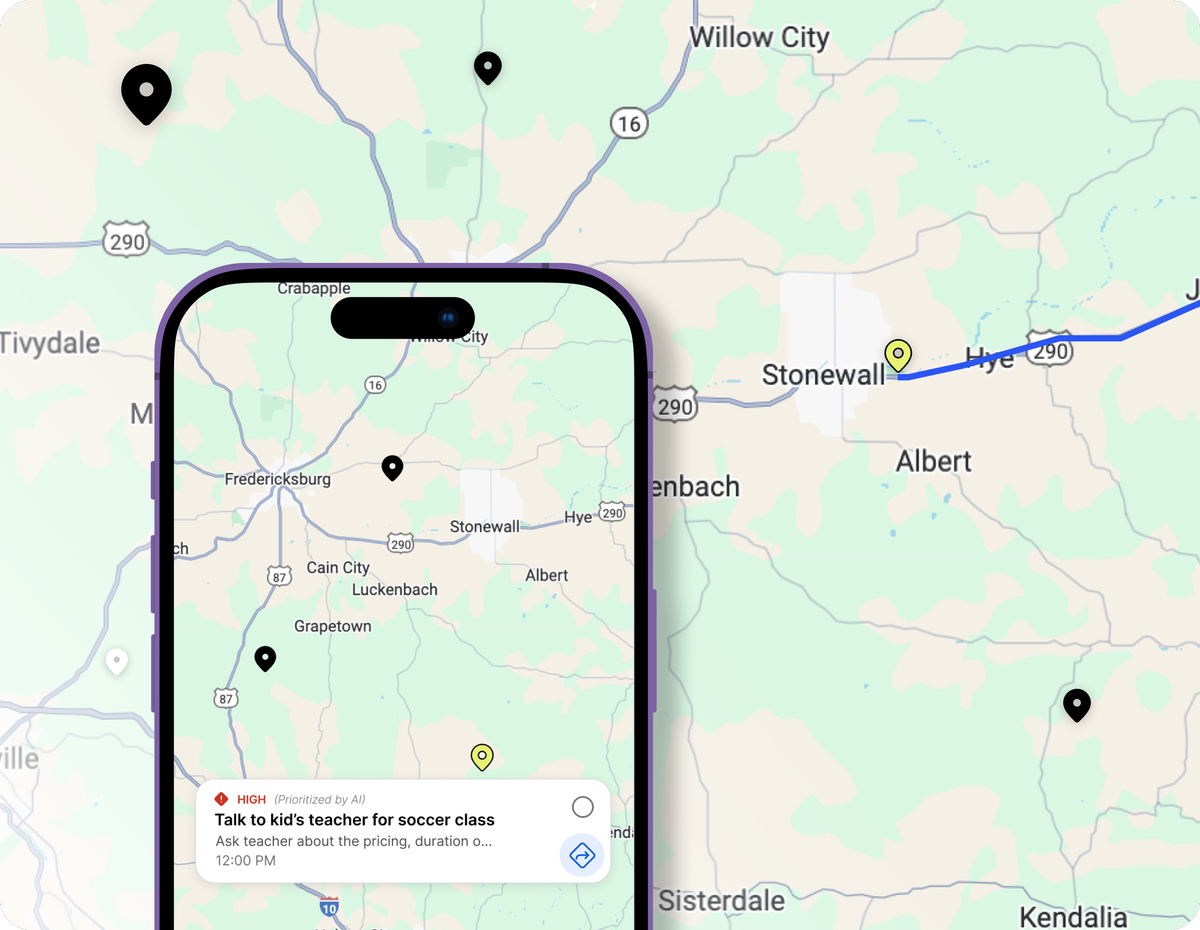
What are location-based reminders?
Location-based reminders (geo-reminders) trigger when you arrive at or leave a specific place. Unlike time-based alerts you will dismiss and forget, context-aware reminders fire when you can actually act — passing the pharmacy, arriving at the office, or leaving home.
Todoist, Notion, TickTick, Tiimo, and Motion do not offer this as a core, unlimited, map-first feature. GoMind AI does, because real life happens in places, not just on schedules.
A real map, not just a list
Every location-based reminder shows up as a pin on an actual map. Glance at it before you head out and plan errands around what is already nearby — no need to remember what you meant to do where.
Nudged before you pass it by
Get notified within a 1-mile radius of a saved location, timed so you still have a chance to act — not a ping that arrives after you have already driven past.
Directions in one tap
Every reminder connects to Google Maps or Apple Maps. One tap and you are routed there. That is the friction that usually makes people skip the errand.
Unlimited on the free plan
Location reminders, map view, and nearby tasks are included on the free GoMind AI plan for iOS and Android. You do not need a second geo-reminder app.
How to set up location reminders
- 1. Download GoMind AI. Install GoMind AI free from the App Store (iOS) or Google Play (Android).
- 2. Create or open a task. Add a new task or open an existing one from your planner.
- 3. Attach a location. Tap the location icon, search for an address or place, and pin it to the task.
- 4. Choose arrival or departure. Select whether the reminder triggers when you enter or leave the area.
- 5. Save and get notified. Save the task. GoMind AI notifies you when you're at the right place to act.
- 6. View on the map. Open the map view to see all location tasks, batch nearby errands, and get one-tap directions.
Location reminders compared
| Feature | GoMind AI | Apple Reminders / Keep | Local Reminder apps |
|---|---|---|---|
| Arrival and leave alerts | Yes | Yes | Yes |
| Map of all location tasks | Yes | Limited | Varies |
| One-tap directions | Apple Maps or Google Maps | No | Rare |
| AI planner + habits + notes | Built in | No | No |
| Unlimited on free plan | Yes | Yes | Often capped |
| iOS and Android | Yes | Platform-native | Often one OS |
Real-world examples
Pick up dry cleaning when you pass the shop. Remind yourself to buy groceries when you are near the store. Get a nudge to drop off a package when you leave the office. Location reminders turn vague intentions into completed tasks — especially if you remember errands at the wrong time.
Read our guide to location-based reminders for ADHD and executive dysfunction, or compare GoMind AI with TickTick and Tiimo.
Location reminder FAQs
- What is a location-based reminders app?
- A location-based reminders app notifies you when you arrive at or leave a place, not just at a clock time. GoMind AI attaches locations to tasks, shows them on a map, and nudges you within about a 1-mile radius so you can act while you are still there.
- Is GoMind AI an AI planner with location reminders?
- Yes. GoMind AI is an AI planner that includes unlimited location-based reminders on the free plan, plus tasks, habits, notes, calendar sync, and a private hub — so geo alerts live in the same app as the rest of your day.
- Do I need a paid plan for location reminders?
- No. Location-based reminders, map view, and one-tap directions are unlimited on the free GoMind AI plan for iOS and Android.
- How is this different from Apple Reminders or Google Keep?
- Apple Reminders and Google Keep can fire a pin at a place. GoMind AI also shows every location task on a map, batches nearby errands, opens Apple Maps or Google Maps in one tap, and keeps those reminders next to habits, calendar, and AI planning.